Start anywhere.
Drop in a recording, or capture audio from your track with Bloom FX. A chord, a single note, a texture. It starts with you.
DRAG & DROP · LIVE CAPTUREA fragment of guitar. A held note. Your voice.
Shape it into something you can play.
Six sounds from the first collection.
Guitars, voice, and synth recordings
through Bloom’s granular engine.
A recorded guitar voicing opens into a slow, spacious cloud.
Real Bloom renders. This listening preview plays recorded audio; the live instrument runs in your music software.
Choose a moment. Stretch it, scatter it,
give it rhythm. Keep the detail that
made you record it in the first place.
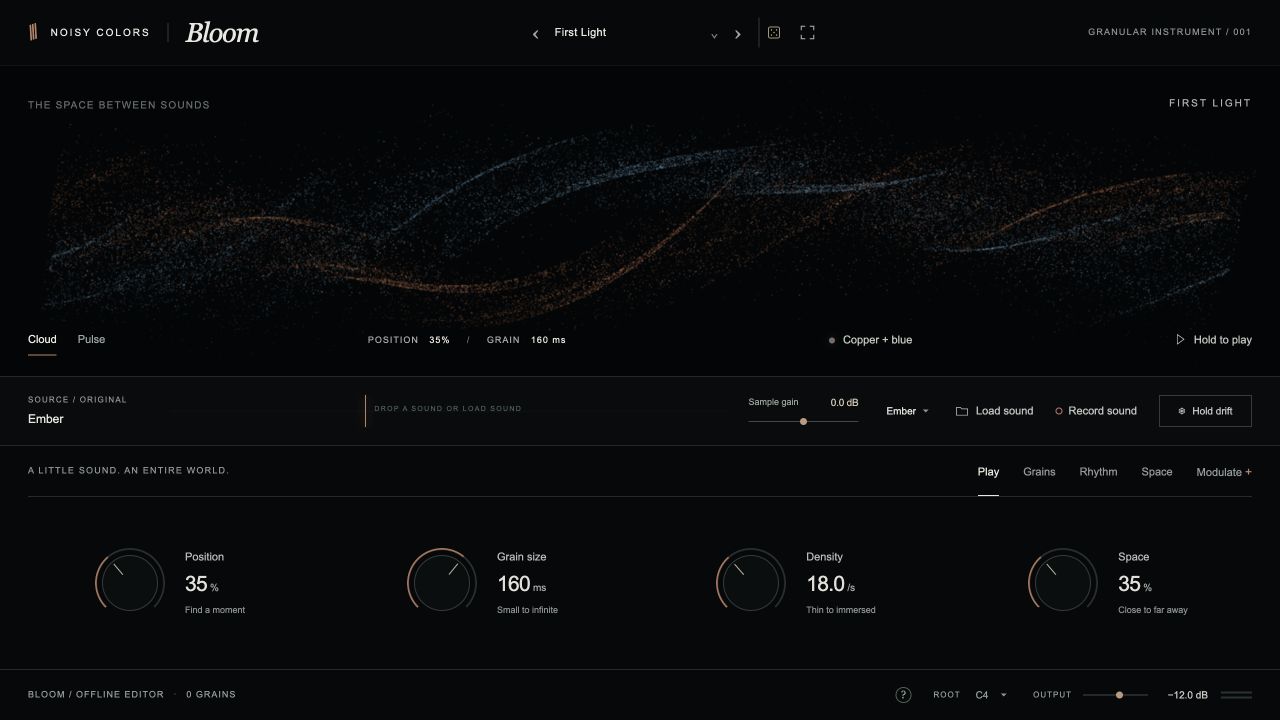
Drop in a recording, or capture audio from your track with Bloom FX. A chord, a single note, a texture. It starts with you.
DRAG & DROP · LIVE CAPTURELet grains flow continuously, or shape their strength with a sixteen-step rhythm. Two LFOs and four macros keep things moving.
Shape the tone, open the stereo field, and let Space and Echo carry the sound. From a close detail to an expansive texture.
Twelve measured frequency bands illuminate the particle field. Bass, mids, and highs bring different colors into focus as you play.
Expand to a spectrum-only view and let the sound fill the screen.
One approach to sound.
Two places in your session.
Put a recording under your fingers. Load Bloom on a MIDI track and play your source across the keyboard.
MIDI → SOUNDSend an audio track into the grain engine. Blend the original, freeze a moment, or record a new source.
AUDIO → TEXTURE24 original factory presets. 39 variations from 13 recorded sources.
A starting point for your own collection.
The current Mac preview builds target macOS 11 or later, on Apple Silicon and Intel. Bloom and Bloom FX support AUv2 and VST3. A standalone Bloom instrument also exists. A Windows version has not been announced.
Yes. Load mono or stereo WAV, AIFF, MP3, or M4A files up to 60 seconds long. Bloom FX can also record audio routed to its track. Save your own presets with the accepted source audio included.
The First Sessions collection adds 39 presets made from 13 recordings, including guitar, voice, and synth sources. Combined with Bloom’s 24 original factory presets, that’s 63 starting points. Final release packaging will be announced closer to launch.
This page plays six audio previews rendered with Bloom. The particle display responds to their frequency content. Recording, MIDI input, and granular sound controls are features of the native plugin.
Bloom is in development. Public availability, pricing, and a release date haven’t been announced. This page is a first listen at what’s taking shape.
Bloom is coming from Noisy Colors.
Listen now. More soon.
Launch details will appear here.